
How to Prepare Artwork and Video Files for Production
Prepare the print and video as one experience, then check each against the selected product. Attractive artwork and a video that plays on a laptop are useful starting points; they still need to be validated for the physical brochure and its player.
Begin with the confirmed structure
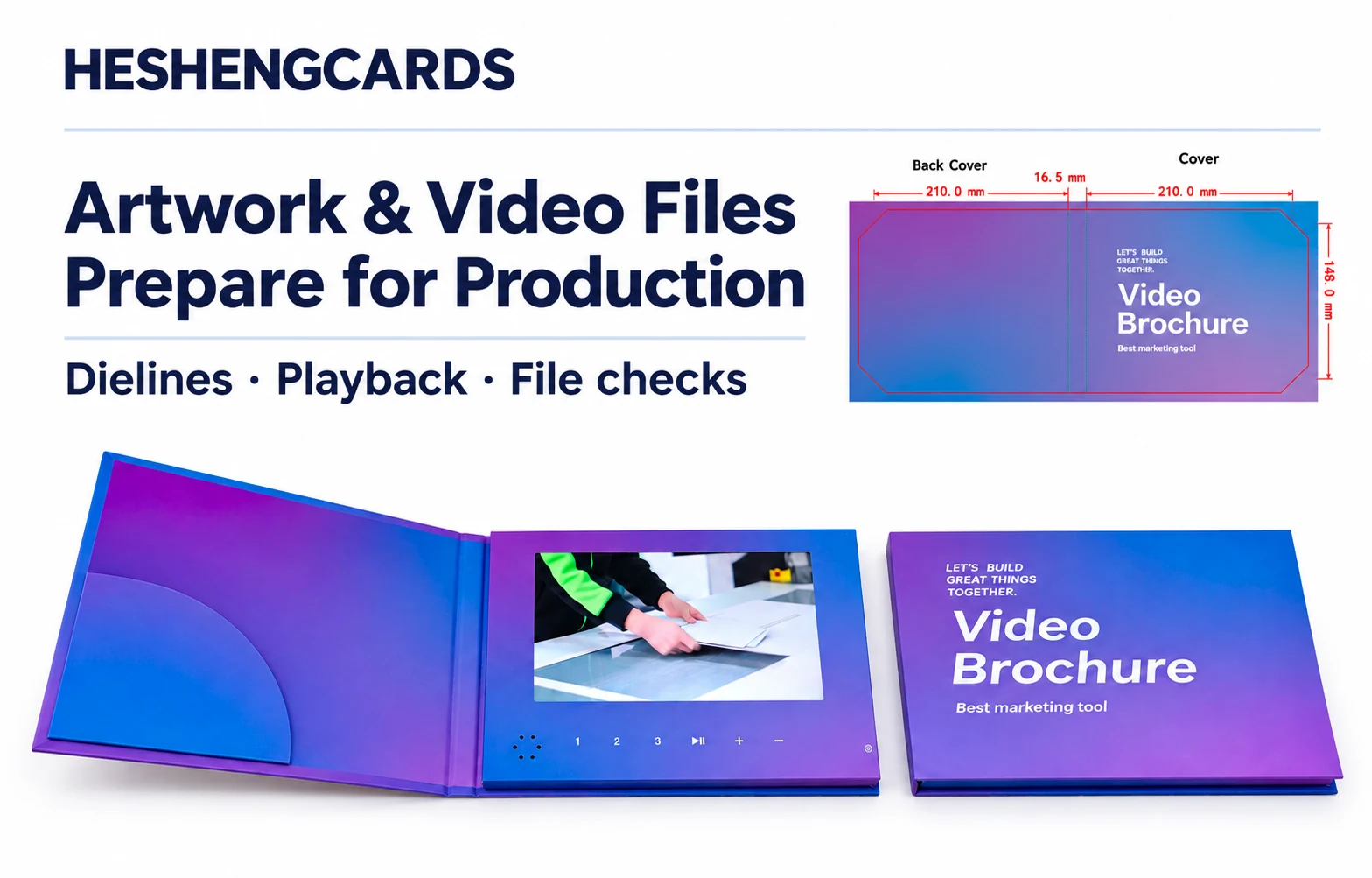
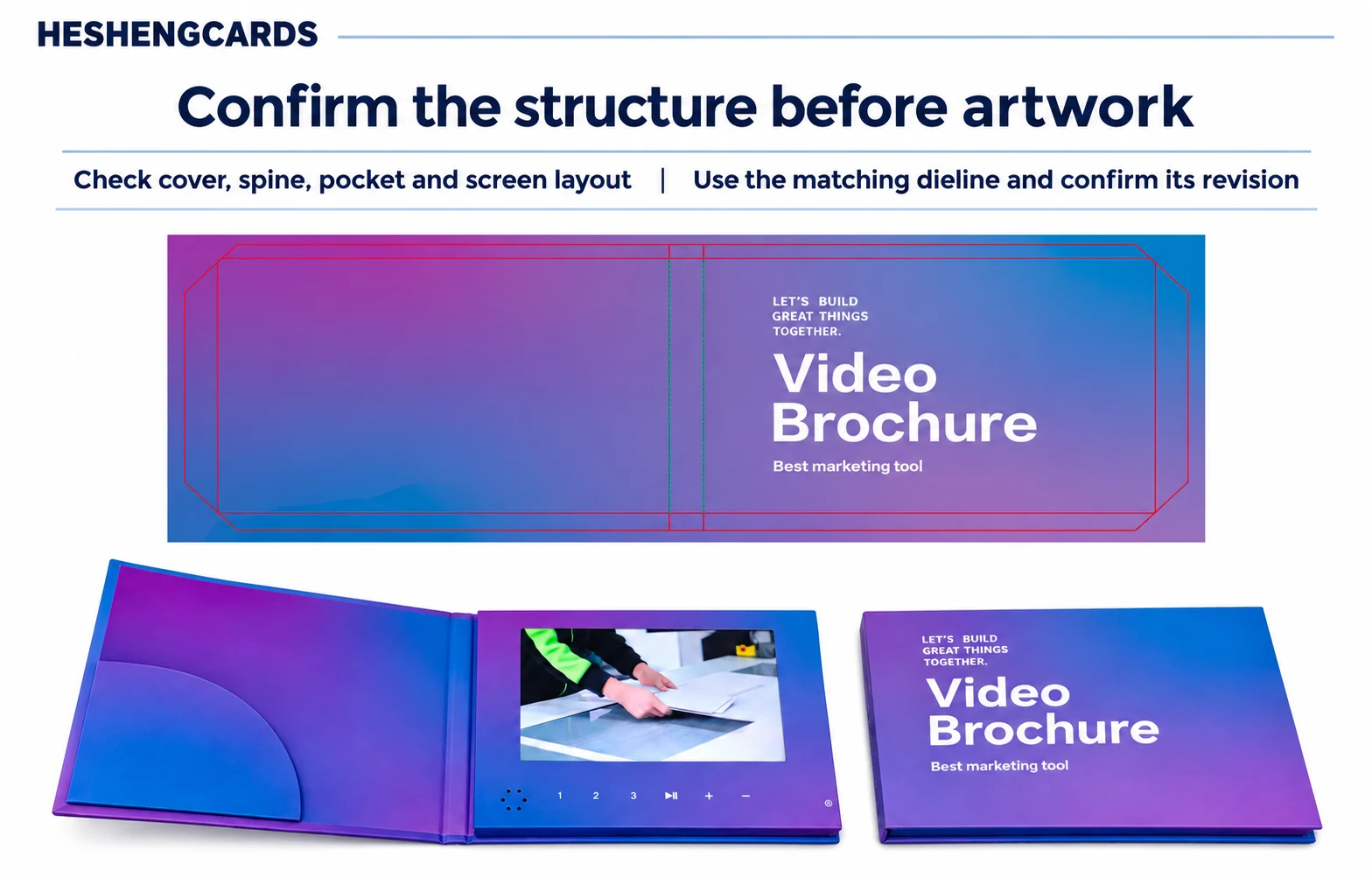
Request the correct dieline before placing final artwork. The template should identify panels, folds, trim boundaries and the screen opening. Follow the supplier’s specified bleed and safe areas rather than borrowing measurements from another printer.
Standard-format dielines are available in the Resources section of the HESHENGCARDS website. Choose the template that matches your proposed product and confirm its current revision before preparing artwork. For a different size, structure or screen arrangement, contact our team to discuss a custom dieline. Final dimensions and file requirements should be confirmed for your project.
Check how the brochure reads when closed, opening and fully open. A headline that looks correct on a flat layout can land on the wrong panel after folding. Keep important text away from uncertain trim and fold positions.
The photographs in this article show a hardcover video brochure with an inside pocket. Check the outer cover, spine, pocket, inner panels and screen opening separately. A softcover template or a dieline for another structure is not interchangeable. Dimensions shown apply only to the pictured example; use the confirmed project files for production.
Make the print support the video
The cover should explain why the recipient should open the piece. Inside copy should introduce the content and show what to do next. Avoid filling every available area with text that competes with the screen.
Provide suitable print assets, including high-quality images and vector logos where available. Ask the production team about color setup, fonts, linked files and special-finish layers. A screen preview cannot guarantee the appearance of printed color, foil or coating.
Prepare for the actual display
Ask for the selected player’s video specification, including resolution, aspect ratio and supported encoding settings. MP4 is a file container; compatibility also depends on how the video is encoded. Do not assume every MP4 export will work.
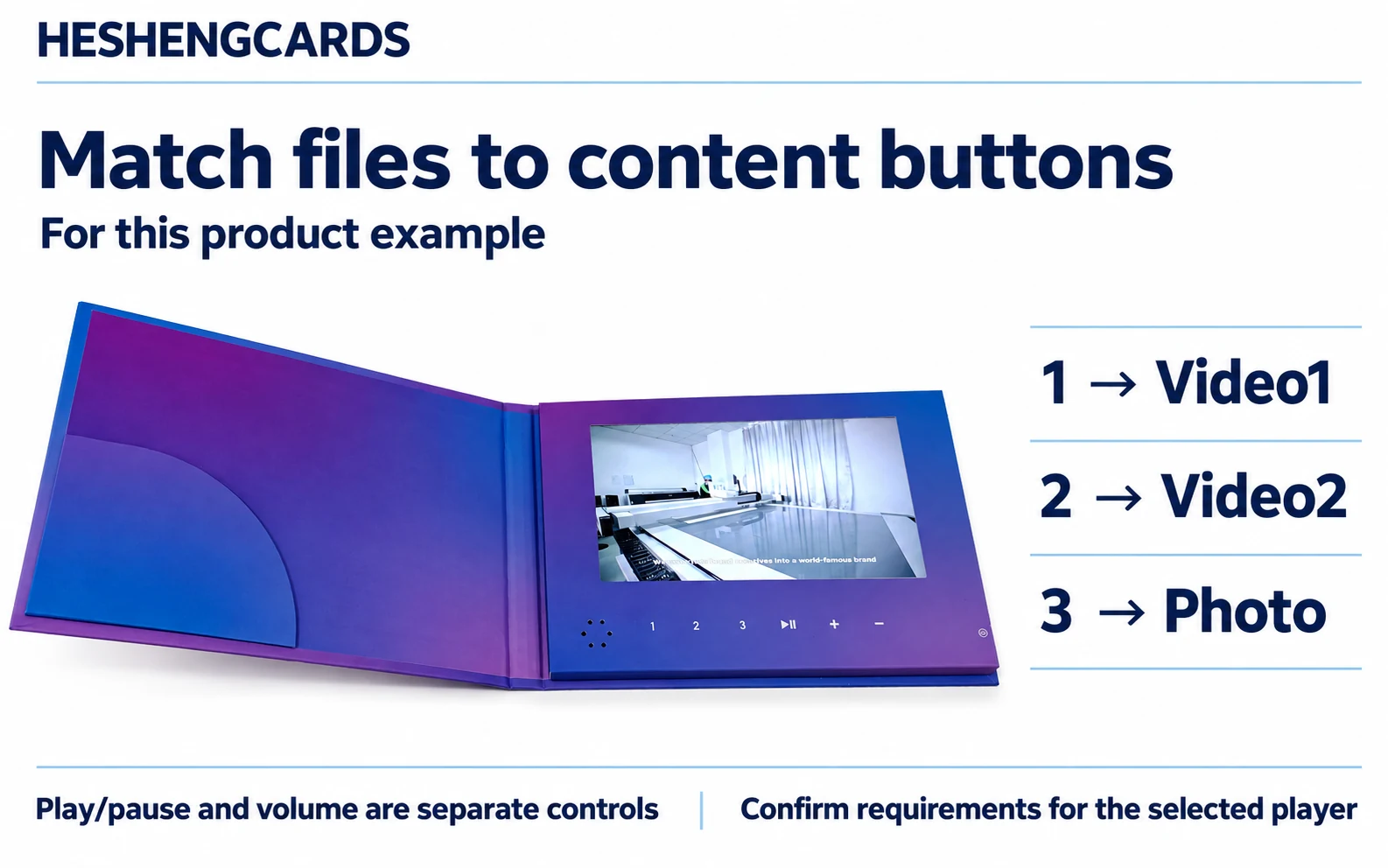
Review captions and small text at the intended screen size. Keep essential information understandable if the surrounding room is noisy. If several videos are used, supply a simple map showing which file belongs to each content-selection button or playback position supported by the selected player. Distinguish these from playback controls such as play, pause and volume; not every button selects a separate file.
For the product example pictured here, button 1 selects Video1, button 2 selects Video2 and button 3 selects Photo. Play/pause and volume are separate controls. This mapping is not universal: confirm folder names, file order and supported functions for the selected player.
Select storage capacity early as well. Confirm it against the screen and player specifications, video duration and count, actual encoded file sizes, photos and any planned content updates. Videos of the same duration can have different file sizes depending on encoding settings; screen size alone does not determine the required storage. Storage configuration affects cost and should be checked during quotation and sample confirmation.
Rights to music, footage, photography and other assets should cover the intended use. Providing the manufacturer with a file does not by itself establish permission to reproduce it.
Control versions before approval
Create one final delivery folder with clearly named artwork, videos, translations and a content list. Use revision identifiers and remove superseded exports from the production folder. Identify one person who can approve the complete package.
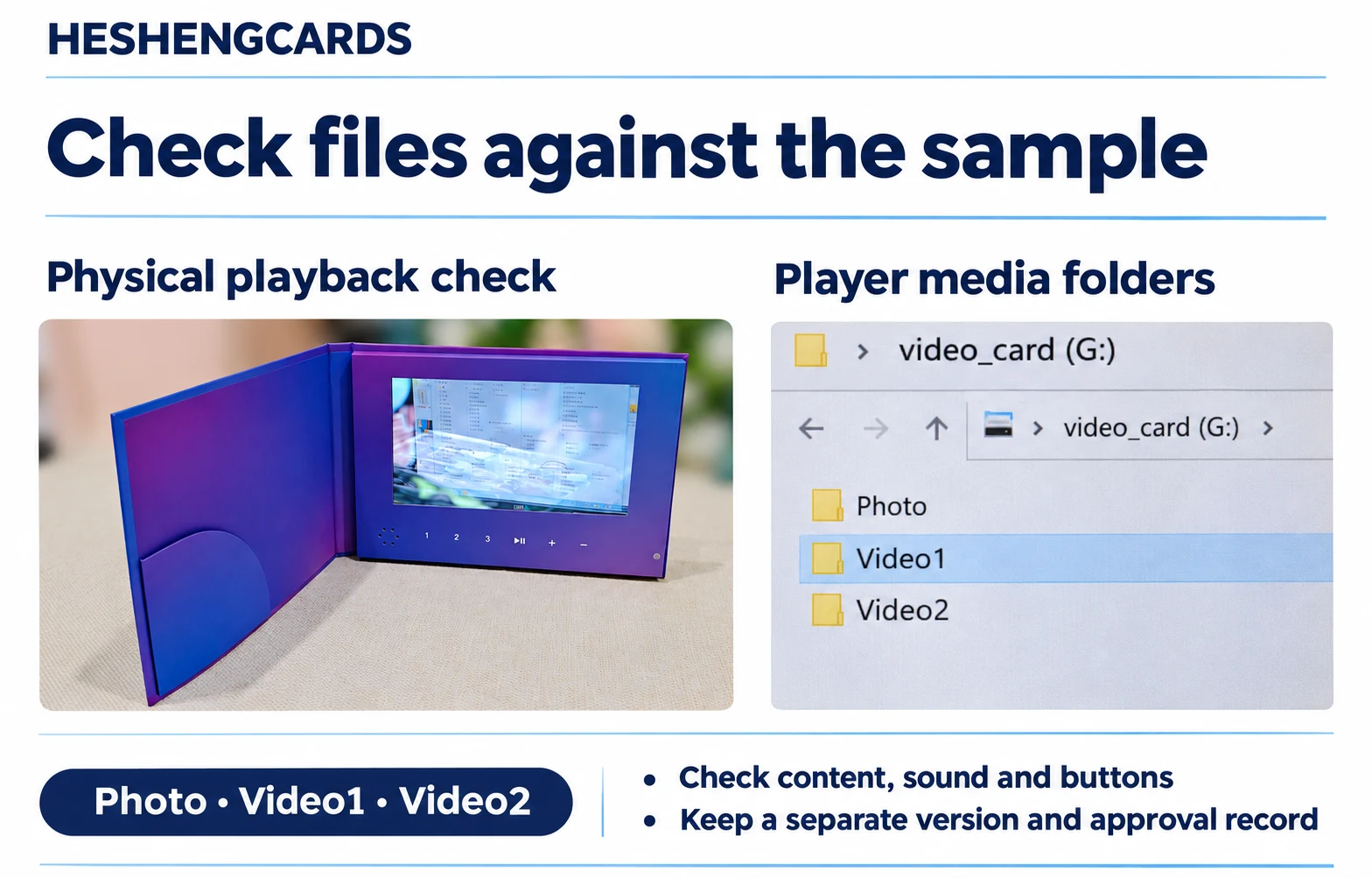
The pictured Photo, Video1 and Video2 folders are player media folders used to check loaded content and button mapping. They are not a complete project delivery folder or evidence of approval. Keep artwork, translations, revision lists and approval records separately.
Review the assembled sample for panel orientation, screen crop, sound, buttons and printed links. Test a QR code from the actual print, not only from the design file. Record exactly which files and sample were approved.
Preparing a HESHENGCARDS project? Request the appropriate dieline and playback requirements before completing your final exports. Early coordination helps prevent avoidable revisions.
Related articles
 Guides
How a Dieline Becomes Print Artwork
A dieline is the structural map for a printed product. It shows where material is cut and folded and where features such as the screen opening…
Read article Guides
What Affects the Cost of a Custom Video Brochure?
The cost of a custom video brochure depends on the specification and the work required to deliver it. Quantity and screen selection are important, but a…
Read article Guides
Video Brochure vs Video Box: Which Should You Choose?
A brand introducing a new product may need the recipient to watch a demonstration and then handle a sample. A video box can connect those actions…
Read articleHave a project in mind?
Send us your idea and requirements — we reply within one business day.